What the Iceberg View Spec actually makes portable, and what it does not
The Apache Iceberg View Spec makes view metadata portable by storing versioned schemas, catalog and namespace context, declared dependencies, properties, and one or more textual SQL representations alongside versioning information. It does not, and cannot, make every SQL expression universally executable across engines. Portability requires a catalog that implements the REST catalog behavior, an engine that reads and honors the View Spec, and agreement on which dialect representation each engine supports. The spec standardizes the shape and lifecycle of view metadata; it does not standardize execution semantics, authentication decisions, or runtime authorization enforcement.
This article explains the View Spec data model, how engines pick a dialect to execute, how version replacement and rollback work, and where the portability boundary lies. I include worked examples: a typical view metadata JSON, two dialect representations, and a REST create and replace flow based on the OpenAPI file in the Iceberg repository. I also cover practical deployment steps, failure modes, rollout checklist, tests to run, and what to measure after you deploy views with Iceberg. Where behavior depends on project version or engine implementation, I call that out. I checked the Iceberg View Spec and project status on September 22, 2026.
View metadata object model. Each stage has a result that can be checked before the next stage begins.
View metadata object model
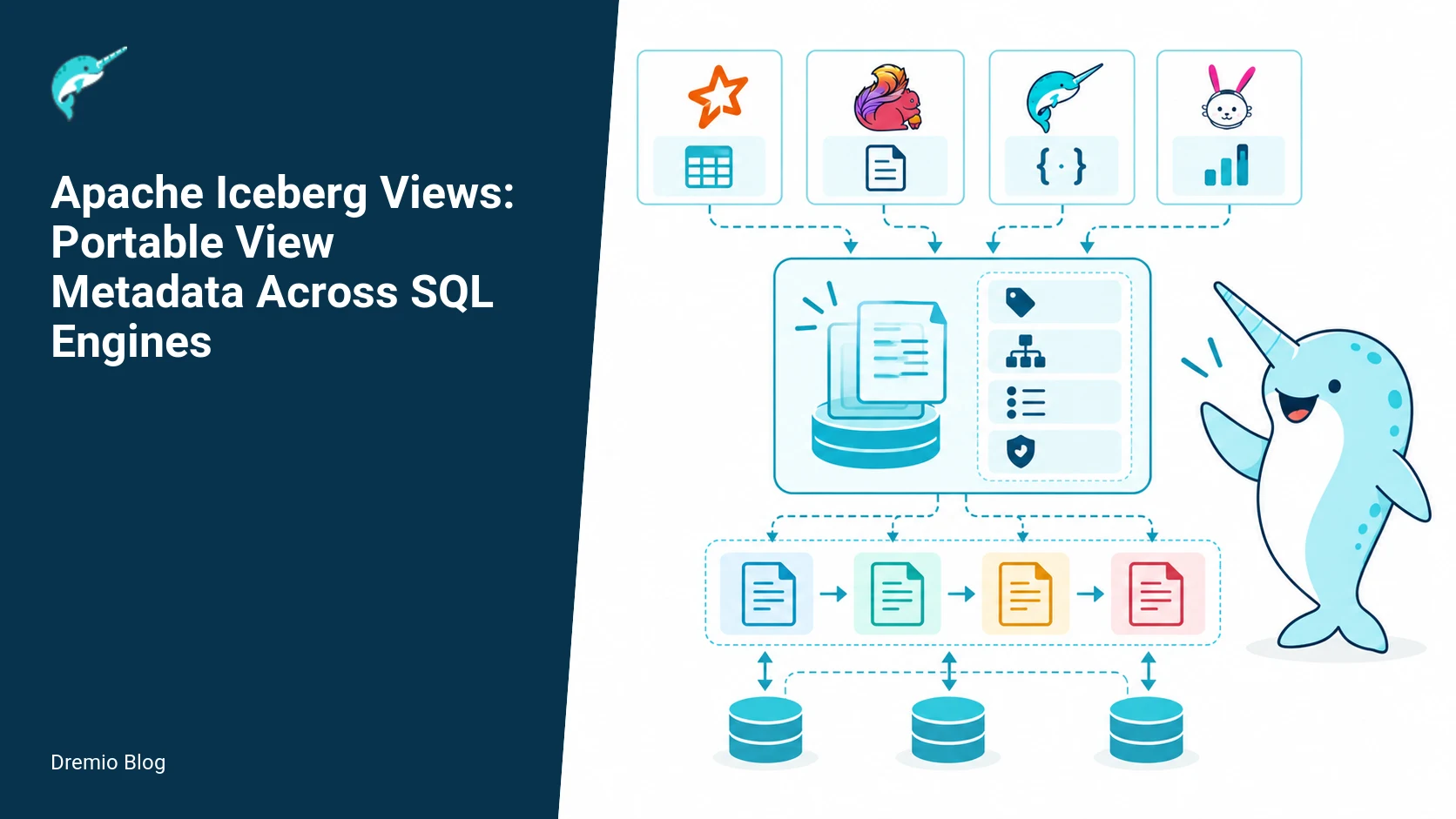
The View Spec defines a structured metadata object for views stored in Iceberg. In plain terms the spec captures these elements: a stable identifier, the catalog and namespace context, a versioned schema for the view's result, a list of dependencies (tables or other views), engine-agnostic properties, and one or more SQL text representations, each tagged with a dialect and optional creation metadata. The object is versioned, so you can replace or roll back to older metadata snapshots.
Core fields you will see in production metadata include: id, namespace, name, schema, properties, dependencies, dialects (an array of {name, sql, createdBy, createdAt}), and a version history object. The View Spec also reserves fields for plan or compiled artifacts where engines choose to store that information. The exact field names and types are defined in the spec; verify against your Iceberg release if you need exact JSON schema names.
Why this matters operationally: the view object provides everything a catalog and engine need to display view metadata, track history, and attempt execution. It also gives you the hooks to record which engine created or updated a view, the dialect used, and dependency links the catalog can use to prevent accidental drops or to compute lineage. But the presence of a dialect string does not guarantee that a target engine can execute that SQL. The engine still has to recognize the dialect and map identifiers and types the same way.
Practical note: Iceberg view metadata is intended to be stored where table metadata lives. Many catalogs expose view objects through their REST APIs and UIs. For a catalog-level perspective and how engines talk to catalogs, see Dremio's explanation of the Apache Iceberg REST catalog and the Polaris REST API documentation. These posts show how engines and catalogs exchange metadata, and why the catalog matters for view portability.
Illustrative view metadata JSON
<!--
{
  "id": "view_12345",
  "namespace": "analytics.sales",
  "name": "monthly_revenue_view",
  "schema": {
    "fields": [
      {"id": 1, "name": "month", "type": "string"},
      {"id": 2, "name": "revenue", "type": "decimal(18,2)"}
    ]
  },
  "properties": {
    "owner": "data_team",
    "comment": "Materialized monthly revenue via reporting job"
  },
  "dependencies": [
    {"type": "table", "identifier": "analytics.sales.orders"}
  ],
  "dialects": [
    {
      "name": "trino",
      "sql": "SELECT date_trunc('month', order_ts) AS month, sum(amount) AS revenue FROM analytics.sales.orders GROUP BY date_trunc('month', order_ts)",
      "createdBy": "trino-connector-1.2",
      "createdAt": "2026-09-10T12:34:56Z"
    },
    {
      "name": "spark",
      "sql": "SELECT trunc(order_ts,'MM') AS month, sum(amount) AS revenue FROM analytics.sales.orders GROUP BY trunc(order_ts,'MM')",
      "createdBy": "spark-sql-3.4",
      "createdAt": "2026-09-10T12:34:56Z"
    }
  ],
  "version": 7,
  "history": [
    {"version": 6, "createdAt": "2026-09-01T09:12:00Z", "createdBy": "trino-connector-1.1"}
  ]
}
-->
The example above shows multiple dialects stored for the same logical view. That gives a catalog and client options. An engine may pick the dialect it understands, or fall back to another translation strategy. Store dialects when you expect multiple engines to read the same view, and remember the SQL text is documentation unless an engine promises to execute that dialect.
Dialect selection sequence. Each technical risk needs a matching test, boundary, or operating signal.
Dialect selection sequence
When an engine requests a view, it faces a choice: which dialect to attempt. A practical selection sequence is: 1) prefer a dialect explicitly set by the requesting engine, if present, 2) pick a dialect matching the engine's declared compatibility list, 3) try a compatible dialect with minimal rewriting, 4) as a last resort, return the view SQL to the client as text-only metadata. Engines and connectors implement their own selection logic; the View Spec only records the dialect candidates.
Decision points and consequences:
- If the engine can parse the dialect and maps identifiers and types in the same way, it can execute the SQL directly. That is the simplest path, but it depends on dialect compatibility.
- If the engine picks a different dialect than the creator used, semantic mismatches are possible. For example, date truncation semantics or implicit casts differ across engines. Portable metadata cannot erase those differences.
- If no dialect is suitable, engines may attempt to compile a logical plan based on the schema and dependencies, or they may present the view as a read-only object requiring a client translation step.
Two concrete dialect representations, from the same metadata above, highlight the differences. One uses Trino date_trunc and explicit identifier quoting, the other uses Spark trunc with different function argument ordering. Engines must either choose the correct representation, or perform translation. Translation can be brittle; fix tests to detect subtle mismatches.
<!--
-- Trino dialect stored in view metadata
SELECT date_trunc('month', order_ts) AS month,
       sum(amount) AS revenue
FROM analytics.sales.orders
GROUP BY date_trunc('month', order_ts);

-- Spark dialect stored in view metadata
SELECT trunc(order_ts,'MM') AS month,
       sum(amount) AS revenue
FROM analytics.sales.orders
GROUP BY trunc(order_ts,'MM');
-->
Operational guidance: catalog and engine pairs should publish which dialect strings they support, and tests should include representative functions, casts, and JOIN behaviors. For a catalog-level view of engine-to-catalog REST interactions, the Dremio post on the Apache Polaris REST API explains how engines can request metadata and how the catalog can annotate responses. That helps design dialect selection logic in your connector.
Version replacement and rollback. The loop turns table or catalog signals into controlled operational changes.
Version replacement and rollback
The View Spec includes versioning so you can replace the current view definition with a new one and, if needed, roll back. Versions are first-class. A replace operation writes a new metadata object with an incremented version and pushes the previous metadata into history. Rollback means setting the active metadata pointer to an older version or writing a new metadata entry that restores the old fields. The specific REST endpoints and their semantics depend on the catalog implementation; inspect the catalog OpenAPI to confirm behavior. I checked the Iceberg repository OpenAPI specification to illustrate the REST flows described later.
Important operational semantics:
- Atomicity: Replace operations are expected to be atomic at the catalog level. If the catalog implements the REST catalog spec, it should guarantee a single committed active version, or return an error. Check your catalog documentation; implementations vary.
- Concurrency: Two clients replacing the same view concurrently can produce lost updates unless the catalog provides optimistic concurrency control, such as a check-and-set using the current version id. Implement clients that read the current version, compute a new version, and perform a conditional replace.
- Rollback safety: Rolling back to a prior version may restore SQL that relies on dependencies removed in the meantime. Catalogs should validate dependencies on replace or restore operations when possible.
Example replace and rollback flow, mapped to REST calls. The Iceberg OpenAPI defines catalog endpoints for creating and updating table and view metadata. Confirm endpoints and parameter names in your catalog's documentation or the Iceberg OpenAPI file in the main repository before scripting this against production.
<!--
-- REST create view (simplified)
POST /v1/views
Payload: {
  "namespace": "analytics.sales",
  "name": "monthly_revenue_view",
  "metadata": { ... initial metadata with dialects ... }
}

-- REST replace view
PUT /v1/views/analytics.sales.monthly_revenue_view
Headers: If-Match: "version-6"  -- optional optimistic concurrency
Payload: { "metadata": { ... new metadata ... } }

-- REST get view (to fetch versions)
GET /v1/views/analytics.sales.monthly_revenue_view
Response: { "metadata": { ... current metadata ... }, "history": [...] }

-- REST restore previous version
PUT /v1/views/analytics.sales.monthly_revenue_view/versions/6
Payload: { }
-->
What to verify in your environment before relying on automated rollbacks:
- Does the catalog expose a version history endpoint? The OpenAPI file in the Iceberg repository lists operations for metadata retrieval and update. Use that as the reference for your catalog if it implements the REST catalog API.
- Does the catalog enforce optimistic concurrency with an If-Match header or equivalent? If not, build that check in your client.
- What checks does the catalog perform when restoring older versions? Verify whether it validates dependencies or simply swaps pointers.
Failure modes to prepare for: disk or network failures during replace, partial metadata writes, or a catalog that accepts the replace but an engine caches the old view. Design your clients to re-fetch metadata after write responses and to invalidate local caches. If you use a separate materialized view store, coordinate the materialization job to re-run after a successful metadata replace when necessary.
Portability boundary
Portable metadata stops at the boundary between representation and semantics. The View Spec standardizes how to store view metadata, but it does not mandate how engines execute SQL, how security checks are enforced, or how runtime configuration affects results. In short, metadata portability is only the first step; runtime behavior remains engine specific.
Three key portability limits you must plan for:
1) SQL semantics vary: functions, operator precedence, and implicit casts differ. A query that returns 1000 rows on Engine A may return 998 or 1002 rows on Engine B because of subtle differences in how NULLs are treated or aggregates are implemented.
2) Engine support is uneven: as of September 22, 2026, not every engine or catalog implements the Iceberg View Spec fully. Check the Iceberg project status to confirm which engines claim support and which features they implement.
3) Security and authorization remain the catalog and engine's responsibility: who can read a view, what credentials are used to access underlying tables, and whether row-level filters apply are outside the View Spec. Your catalog and engine must enforce the security model you need.
Concrete examples of portability pitfalls:
- A view uses a stored procedure or a UDF available only in Engine X. The view metadata stores the SQL text, but Engine Y cannot execute the UDF.
- The view SQL uses cross-database joins where one engine resolves unqualified identifiers differently, causing it to query the wrong table.
- Row-level security is enforced by the engine at runtime. A view stored in the catalog cannot override an engine that applies an additional predicate or denies access to an underlying table.
For production teams, that means you must decide where portability matters and where to accept engine-specific behavior. Use dialect fields to store engine-specific SQL where needed, and use the catalog to record which dialect is recommended for each consumer. The Dremio posts on choosing an Iceberg catalog and on the Apache Iceberg REST catalog are useful when designing the catalog contract, and Dremio's open catalog page explains how to expose metadata consistently across engines. Use those resources to choose a catalog that fits your safety and portability needs.
Portability boundary. A reversible canary keeps an unsupported client or unsafe policy from becoming a fleet-wide incident.
Practical implementation and evaluation sequence
Deploying views with portable metadata is an engineering project. Here is a pragmatic rollout sequence I have used on multi-engine clusters. Each step maps to tests you can automate and checks to include in your deployment pipeline.
Inventory and plan (prep). Record which views you plan to migrate or create with the spec, the underlying dependencies, and the engines expected to read them. Flag views that use engine-specific functions or UDFs. This inventory drives dialect selection and test coverage.
Catalog compatibility check. Confirm the target catalog implements the necessary REST operations. Use the Iceberg OpenAPI file as a reference for endpoint behavior. If your catalog is Dremio or Polaris-compatible, consult Dremio documentation for engine-to-catalog interaction specifics.
Define canonical dialects. For each view, decide which dialects to store. Usually pick one dialect per engine family, and prefer SQL that avoids engine-specific constructs when possible.
Write migration scripts. Use the catalog REST API to create view metadata, supplying dialects and properties. Include optimistic concurrency checks when your catalog supports them.
Test execution across engines. For each dialect, run the view on every target engine and compare row counts, checksums on key columns, and execution plans where possible. Tests should check boundary cases such as NULL handling, rounding, and date-time functions.
Introduce monitoring and logging. Capture catalog events for view create/replace, engine logs showing which dialect was chosen, and query results. Alert on divergence thresholds, for example a row count difference greater than 0.1 percent for large aggregates.
Gradual rollout. Start with read-only or reporting views before exposing them to upstream OLTP or critical pipelines. Use feature flags or catalog properties to mark views as "trusted for production" after passing tests.
Example REST create and replace flow, step-by-step:
1) POST to create with initial metadata and dialects.
2) GET the view, verify version and history.
3) Run test queries on each engine and store checksums.
4) If you need to change the SQL for performance or correctness, prepare a new metadata object, include the updated dialect text and bump the version.
5) PUT replace using optimistic concurrency. Re-run tests. If tests fail, use the catalog restore API or write a new metadata entry that restores the prior SQL and bump the version again.
Scripts that automate these steps should treat the catalog as the source of truth. Do not assume local cache reflects the active view. Always re-fetch metadata after a successful write to confirm the active version. If your catalog is Dremio and you want guidance on the REST catalog specifically, that Dremio blog post on the Apache Iceberg REST catalog gives practical examples and caveats for using the catalog endpoints.
Failure modes and mitigations
Anticipate these failure modes when you operationalize view metadata portability, and adopt mitigations I have used in production.
Partial write or network failure during replace, leaving clients uncertain which version is active. Mitigation: require the catalog to return the committed version id. If your catalog cannot, build a verification step that GETs the current metadata until it matches the expected version or times out.
Lost updates due to concurrent replaces. Mitigation: use optimistic concurrency with If-Match or equivalent, and fail early with a restartable client that refreshes metadata and retries.
Engine executes wrong dialect because of ambiguous identifier resolution. Mitigation: implement identifier normalization in metadata (store fully qualified names) and record the recommended dialect per engine in the view properties.
Semantic drift between engines, causing different aggregates or missing rows. Mitigation: include automated cross-engine tests with checksums, and block promotion to production if divergence exceeds a configured threshold.
Security gaps, where a view exposes data that an engine's runtime would normally filter. Mitigation: enforce authorization in the catalog and ensure engines respect catalog-level permissions. Security semantics are not handled by the View Spec; you must configure your catalog and engines to enforce policies.
Rollout checklist
Confirm catalog implements the Iceberg REST API operations you need, by reviewing the Iceberg OpenAPI specification and your catalog docs.
Document which dialect(s) each target engine supports. Run a small suite of language compatibility tests (date functions, decimal precision, NULL semantics, JOIN type resolution).
Instrument logging so you can trace which dialect an engine used to execute each view and record the view version id in query audit logs.
Automate create, replace, and restore using scripts that perform optimistic concurrency checks and verify resulting metadata.
Run cross-engine data validation on a schedule for views that are important to business metrics, and escalate differences automatically.
Define a rollback procedure and test it regularly, including dependency validation to ensure restored SQL still references existing objects.
Ensure your catalog enforces authorization policies, and confirm engines do not bypass catalog-level checks.
What to measure after deployment
After you deploy, measure both control-plane and data-plane signals. These tell you whether metadata portability is working and whether business queries remain correct.
View metadata operations per hour: creates, replaces, restores. Spike detection here can indicate automation bugs.
Version churn per view: rapid version increments on many views suggests a deployment script bug or flapping automated job.
Cross-engine result divergence: row-count deltas and column-level checksum mismatches. Track both absolute and relative differences, and establish alert thresholds.
Query failures attributable to dialect issues: parse errors, function not found, or type mismatch errors. Break these down by engine and view to prioritize fixes.
Authorization denials when reading underlying dependencies. These are operational signals that catalog and engine identity integration needs attention.
Time-to-recover after a failed replace: how long until you detect the failed change and restore the prior metadata. This measures your incident response and automation quality.
Worked implementation: creating and replacing an Iceberg view with two dialects
This section walks through a concrete REST based create and replace flow that stores two dialect representations in the view metadata JSON, and then demonstrates a safe replace with a rollback plan. I use the Open API catalog operations documented in the Apache Iceberg Open API specification for reference when I note request shapes and expected responses. Check the Open API document for your catalog implementation for exact endpoints and versioned behavior.
Start assumptions: you have an Iceberg catalog with REST create and replace endpoints that implement the Open API API path patterns described in the project documentation. I am not assuming a particular vendor implementation. This flow is version-qualified by the catalog implementing the Open API contract as of the Iceberg project status page. Verify support for view metadata on your catalog before attempting these calls.
1) Prepare the view metadata JSON. Below is a compact, representative example. It contains two SQL dialects: a Calcite like dialect and a Spark SQL like dialect. The metadata follows the shapes in the view spec, with a current-version and a versions map. You should adapt names, field quoting, and type annotations to match your engines. Keep a local file called view.json for the REST body.
<?xml version="1.0"?><!-- NOT XML, this is JSON escaped for HTML context -->
{
  "type": "view",
  "current-version": "v3",
  "versions": {
    "v1": {
      "query": "select id, name from dataset.users where active = true",
      "dialect": "calcite",
      "created-by": "[email protected]",
      "created-at": "2026-09-22T15:04:05Z"
    },
    "v2": {
      "query": "select id, name from dataset.users where active",
      "dialect": "spark",
      "note": "spark boolean shorthand",
      "created-by": "[email protected]",
      "created-at": "2026-09-22T15:10:00Z"
    },
    "v3": {
      "dialects": {
        "calcite": {
          "query": "select id, name from dataset.users where active = true",
          "expanded": {
            "columns": ["id", "name"],
            "predicate": "active = true"
          }
        },
        "spark": {
          "query": "select id, name from dataset.users where active",
          "expanded": {
            "columns": ["id", "name"],
            "predicate": "active"
          }
        }
      },
      "created-by": "[email protected]",
      "created-at": "2026-09-22T15:20:00Z",
      "comment": "add multi-dialect payload for cross-engine reads"
    }
  }
}
2) Create the view via REST. Most Open API compatible catalogs expose a create table or create view path. A typical pattern is POST to /api/v1/tables or a provider specific path. The Open API file documents operations such as createTable and replaceTable. Use create when the view does not exist, and replace when it does. The body is the JSON above. Verify the catalog returns a 201 Created with a location or the created object in the response body.
3) Read back the metadata and confirm the dialects. Use the catalog get operation documented as getTable or an equivalent path. Inspect the returned view metadata, confirm current-version equals v3, and that both dialect entries are present. If your catalog returns a table snapshot separate from the persisted properties, confirm the persisted view JSON matches what you posted. If you see a catalog validation error, capture the catalog error code and message. Different implementations validate dialect payloads differently.
4) Replace the view safely. To update a view, use the replace operation. The safe replace sequence I use is: read current metadata, write a new version ID in the versions map, set current-version to the new ID, then POST or PUT the replace request including the expected current-version for optimistic concurrency. The Open API places replace semantics in the replaceTable operation. If the catalog supports precondition headers or an if-match like mechanism, use that to avoid stomping concurrent changes. If not, the catalog should return a conflict response when concurrent replace happens.
<?xml version="1.0"?><!-- Example curl, replace with your catalog endpoint -->
curl -X PUT \
  -H "Content-Type: application/json" \
  -H "If-Match: v3" \
  --data-binary @view.json \
  "https://catalog.example.com/api/v1/tables/analytics.views.user_active"
Note on If-Match above: the Iceberg Open API does not mandate a specific HTTP header name for conditional writes across all catalogs. Check your implementation for the correct conditional write mechanism. If your catalog does not offer conditional write support, fetch, check locally, then attempt the replace, and be prepared to retry if the catalog returns a conflict code.
5) Rollback plan. Because the view JSON keeps prior versions, a rollback is simply a replace that sets current-version back to a previous version id. The critical operational constraint is the engine and catalog handling concurrent clients. The safe rollback sequence is: fetch current view metadata, verify the version you want exists, increment a new version id such as v4 with a comment noting the rollback, set current-version to the older id you intend to re-activate, and perform a conditional replace referencing the fetched current-version. This preserves an auditable timeline in the metadata.
Worked example of a rollback payload where we restore v2 as current while adding v4 as the metadata change record. Save this as rollback.json and use the same replace call pattern with If-Match or your catalog precondition.
{
  "type": "view",
  "current-version": "v2",
  "versions": {
    "v1": { /* original v1 */ },
    "v2": { /* spark v2 as before */ },
    "v3": { /* v3 multi-dialect */ },
    "v4": {
      "note": "rollback to v2 by [email protected]",
      "created-by": "[email protected]",
      "created-at": "2026-09-22T16:00:00Z",
      "reverted-from": "v3"
    }
  }
}
6) Verify engine behavior across dialects. After the replace or rollback, run the two SQL engines that matter for your organization and execute the queries from each dialect. Expect differences. The view spec carries the SQL text and dialect hints. It does not unilaterally change parsing or semantics in a given engine. Log failures and collect engine error messages for diagnosis. If an engine rejects the dialect it should pick the fallback dialect or error, depending on the engine implementation. Document that behavior for your consumers.
Finally, automate these steps in your CI pipeline. Keep a test that creates the view, replaces the view with multi-dialect payloads, and rolls back, then asserts that the catalog persisted the expected current-version and that each engine can read its dialect. Fail the build on catalog validation errors or engine query failures.
Failure injection tests to validate portability boundaries and recovery
Portable metadata is only useful when you know what breaks and how it breaks. I recommend three targeted failure injection tests. Each test exercises a different boundary: catalog validation, engine parsing semantics, and replace concurrency. Run these in a test environment that mirrors your production catalog and engines.
Test A, catalog rejection of dialect shape. Purpose: verify how your catalog validates view payloads. Method: send a create or replace with intentionally malformed dialect JSON, for example put a non string into query or omit required top level fields your catalog documents as mandatory. Expect a 4xx response. Capture the error code, message, and any field path. Operational consequence: if the catalog silently drops dialect entries, you might end up with incomplete metadata; treat that as a hard failure. Mitigation: implement client side schema validation that matches the catalog, and include a post write read to ensure persisted fidelity.
Test B, engine parse failure on dialect-specific SQL. Purpose: confirm each engine chooses the correct dialect and check observable error modes. Method: post a view with two dialects where one dialect includes a syntactic construct unsupported by the engine that should use it. Run the query in the engine that should accept that dialect, and also in the engine that should accept the other dialect. Expected results: one engine runs successfully, the other fails with a clear parser or semantic error. Capture the error text and code. Operational consequence: consumers must be aware that view metadata does not change engine grammar. Mitigation: store an engine compatibility matrix and add pre-commit checks that validate the dialect SQL against the corresponding engine using a dry run plan or explain call.
Test C, concurrent replace conflict. Purpose: confirm your catalog returns a conflict and does not create a corrupt current-version when two writers race. Method: start two replace operations close together, both based on the same read of current-version. One should succeed, the other should receive a conflict response. If both succeed or the catalog silently accepts the latter without indicating a concurrency failure, treat that as a design limitation. Operational consequence: lost updates to view metadata can create surprising active queries. Mitigation: add optimistic concurrency to your client using the catalog precondition mechanism, or implement a single writer service that serializes view updates.
For each test, record the exact Open API operation name you invoked and the response body. Label these facts as checked on September 22, 2026 when you document the test, because catalog behaviors can change with implementation versions.
Decision table: when to store multiple dialects, a single canonical dialect, or an engine specific view
Choosing how to populate view metadata is a low level design decision that affects portability, operational complexity, and consumer expectations. This table style guidance helps you decide. These are practical tradeoffs, not universal rules. Align the choice with your error budget and the engine abilities you control.
Option 1, multiple dialects in a single view metadata object. When to pick it: you have a small set of SQL engines, you expect reads from multiple engines, and you can maintain the dialect variants. Benefits: one source of truth, easier rollbacks because the metadata keeps versions. Costs: more authoring work, potential for stale or inconsistent dialects, relies on catalog preserving all dialect entries. Operational checks: run automated dialect validation for each added dialect in CI. Failure mode: one engine may still reject its dialect. Measure: fraction of successful engine reads per dialect over time.
Option 2, single canonical dialect with engine translation at runtime. When to pick it: you own or can modify the engine, or you have a reliable SQL transpiler. Benefits: simpler metadata, fewer authoring errors. Costs: you introduce a translation step that can change semantics. Operational checks: have a test harness that compares semantic results across engines on representative datasets. Failure mode: subtle semantic drift between translated queries. Measure: row level deltas between canonical and translated results on sample inputs.
Option 3, engine specific views and catalog entries. When to pick it: engines have incompatible semantics you cannot reconcile, or you must rely on engine native features. Benefits: each engine gets native SQL, no runtime translation. Costs: multiple objects to maintain, harder to keep consistent. Operational checks: automated cross-engine certification of view semantics where feasible. Failure mode: divergence in result sets after schema changes. Measure: time to detect and remediate divergence after schema or upstream data changes.
Decision heuristics I use in practice: prefer multiple dialects if you can automate dialect validation, prefer single canonical only if you have a proven translator and can audit semantics, and default to engine specific objects if you cannot guarantee translation fidelity or catalog preservation of dialect metadata.
Each choice requires you to document expected engine behavior on catalog failures, for example whether the engine falls back to a default dialect or errors. Do not assume identical behavior across catalog implementations. Verify behavior from the Iceberg project Open API and your catalog's implementation documentation.
Operational metrics and observability: what to collect and why
After you deploy view metadata with dialects, collect metrics that catch the primary failure modes. Instrument both the catalog and consuming engines where possible. These metrics let you detect degradation early and attribute root cause.
Essential catalog metrics
create/replace view request rate and error rate, broken down by error class (validation, conflict, server error). This shows catalog acceptance behavior and experience of writers.
time to persist view metadata write, including read-then-write latency if your client does fetch before replace. Long latencies increase concurrent replace races.
view metadata size distribution. Large metadata payloads with many dialects may hit HTTP or catalog size limits.
Essential engine metrics
view resolution success rate, per engine and per dialect tag in the metadata. A sudden drop for one dialect indicates either metadata corruption or engine parsing issues.
query error classification for view queries, split by parser error versus semantic error. This helps distinguish a malformed dialect from a semantic mismatch like type differences.
query result variance checks. Periodically run a small canonical test query against two engines and record row counts and key checksums. Use this to detect semantic divergence after changes.
Practical thresholds I track: catalog replace error rate above 0.5 percent for writes from automation triggers alerts. Engine view resolution failures above 1 percent per dialect trigger a triage run. Those numbers are operational heuristics; tune to your traffic and risk tolerance.
Alerting and runbook items. For catalog validation failures, include the failed payload in the alert. For engine parser errors, include the dialect id and error text. For concurrent replace conflicts, make the alert actionable by pointing to the replace request id and the read current-version that caused the conflict.
Finally, measure the time from view replace to all engines successfully using the new current-version. This captures deployment propagation and is a key SLO for cross-engine portability.
FAQ
1. Does the Iceberg View Spec make SQL portable across engines?
No. The View Spec makes metadata portable, not execution semantics. It stores one or more SQL representations, but engines must support a dialect or translate queries to execute them. Expect differences in functions, casts, and NULL handling across engines.
2. Which engines support the View Spec?
Engine support is uneven. Check the Iceberg project status page for the most recent compatibility notes and the feature matrix. As of September 22, 2026, some engines implement view metadata read and write, others only partial support. Verify your engine and connector versions against the Iceberg status documentation.
3. How should I store multiple dialects for the same view?
Store one dialect per engine family you need to support. Include createdBy and createdAt metadata for traceability, and prefer fully qualified identifiers to reduce ambiguity. Keep a canonical dialect in properties to indicate the recommended engine.
4. What security guarantees does the View Spec provide?
The View Spec does not change security semantics. Authentication, authorization, and row-level security are enforced by your catalog and engine. Treat the catalog as the place to enforce access rules, and confirm your engines respect those rules.
5. Can I rollback a bad view replace safely?
Usually yes, if your catalog exposes version history and a restore API. But check what your catalog validates on restore. Test rolling back in a staging environment before relying on automatic restoration in production.
6. How do I test cross-engine correctness?
Build a test harness that runs view queries on each engine, compares row counts, and computes checksums for critical columns. Include edge cases: NULLs, extreme values, date/time boundaries, and decimal rounding. Fail promotion when divergence exceeds acceptable thresholds.
Related Dremio guides
Continue with these related implementation and operations guides.
Intro to Dremio, Nessie, and Apache Iceberg on Your Laptop
Editor’s note, September 2026. This post was published in September 2023 and some product details have changed since. Nessie is still available and self-deployable under the Apache-2.0 licence, and it remains the clearest implementation of catalog-level branching. It is not an Apache Software Foundation project, and its development has slowed considerably. For how the current […]
Aug 16, 2023·Dremio Blog: News Highlights
5 Use Cases for the Dremio Lakehouse
With its capabilities in on-prem to cloud migration, data warehouse offload, data virtualization, upgrading data lakes and lakehouses, and building customer-facing analytics applications, Dremio provides the tools and functionalities to streamline operations and unlock the full potential of data assets.
Sep 30, 2026·Dremio Blog: Open Data Insights
Apache Iceberg 1.12.0: What’s New, Breaking Changes, and Upgrade Guide
Apache Iceberg 1.12.0 expands v3 engine support, REST catalog operations, streaming reliability, and v4 groundwork. Learn how to upgrade safely.